Use the parts catalog to check variant and serial fit before you order any part number. A generic “290” match is not enough. Two machines can be the same model family and still use different parts.
This guide shows you how to find serial and variant information, move through catalog sections and diagrams, cross-check serial ranges and variant codes, and confirm order details. Each step builds on the last one.
Your main question is simple: how do you confirm the exact part for a specific EC290 machine variant and serial number? The answer starts with the machine itself, not the catalog. Check volvo 290 excavator parts against your plate data first.
Key Takeaways
Record the full machine designation, serial identification and actual component configuration.
Check that your variant and serial number match the right catalog edition and part listing.
Always check the actual part on your machine to make sure it fits.
Check for part number changes and catalog updates before you place your order.
Check what comes with the order and how the quantity is counted.
Locating Variant and Serial Data
Reading the ID Plate
Use the applicable identification guidance to locate and read the machine identification. Record the full designation and serial information exactly. Do not assume every plate carries a separate field called variant code or lists all installed options.
Keep machine identification together with component identity, known modifications and applicable source references. The plate is one identification source, not proof that every installed component is original.
Variant Codes and Serial Ranges
The shorthand 290 does not identify a complete machine variant. Confirm the actual designation and explicit source coverage rather than assuming interchangeability among similarly named models.
Read the stated coverage of the actual publication and entry. Do not use unverified example serial ranges or infer that a nearby range applies. Resolve missing coverage with supported documentation or qualified assistance.
Navigating Volvo 290 Excavator Parts Diagrams
Section and Group Structure
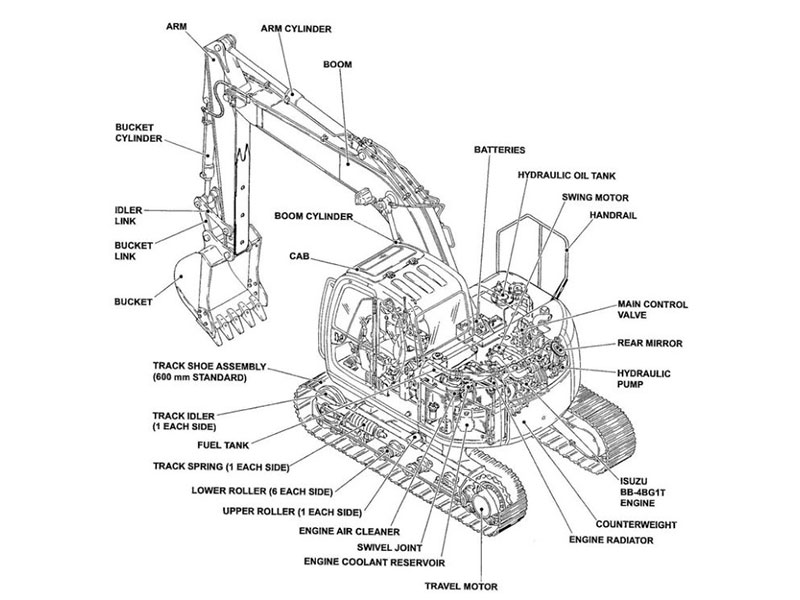
Use the actual publication index and group conventions to locate the relevant system and assembly. Catalog organization varies, so check the selected figure and its associated list rather than assuming every group opens the same type of diagram.
Follow this order:
Name the machine system from your parts request.
Open the catalog group that matches that system.
Pick the diagram for the assembly you need.
Read the parts list that comes with that diagram.
Keep the navigation tied to the catalog. A diagram shows how parts relate in a list. It does not tell you how to remove or install them. Use service information for repair work and use the catalog only to find part numbers.
Confirming the Actual Component
Read the diagram callout with its associated list entry, description, candidate service reference and applicability notes. The callout, service number and component marking have different purposes. Confirm the meaning of each before ordering.
Compare the actual component identity and configuration with the supported application information. Safely obtained photos can assist identification, but visual similarity is not proof of fitment. A parts diagram is not a repair procedure.
Treat any online catalog or cross-reference as a source whose coverage and accuracy must be checked. Record its publication reference and compare the candidate entry with applicable manufacturer documentation and the actual assembly.
A number appearing in several model listings does not prove interchangeability. Do not infer application from an unverified example number; confirm the actual ordering reference and all conditions for the installed component.
Cross-Referencing Serial and Variant
Serial Range Applicability
A serial number match is a starting point, not a finish line. You must check the serial range printed for the listing itself. Catalogs group parts by serial breaks. A part may fit serials up to a certain number and change after that break. Your plate tells you where your machine sits. The listing tells you which range it serves. Compare the two directly.
Read the actual applicability note on each proposed entry. Where coverage uses a starting, ending or bounded serial range, compare it with the full identified machine and other stated conditions. Do not assume a universal format or use invented ranges.
Watch for listings with no range note at all. Treat a missing range as unconfirmed, not as universal. Contact a dealer or parts supplier and ask for the coverage in writing. Record the answer next to the part number on your list. This habit protects your volvo 290 excavator parts orders from quiet range errors.
Variant-Specific Listings
Variant codes exist for a reason. EC290, EC290B, EC290C, and other derivatives do not share every component. A listing built for one variant may bolt up differently on another. Never substitute a part from a different EC290 variant just because the diagram looks similar.
Confirm the variant on the listing before you commit. The listing should name the variant or show a variant code that matches your plate. If the listing stays generic, ask for the specific application. Then check the part on your machine against that answer. Look at the mounting points, the connections, and the surrounding assembly. The machine itself is the final check.
Request supported application confirmation from an appropriate parts specialist using full machine and component identification. Verify source coverage and retain the response with the relevant entry notes. A lookup result alone does not establish compatibility.
Build your list in this order: variant first, serial range second, part number third. Each step narrows the field. Skipping a step widens the chance of a wrong order. Verified volvo 290 excavator parts come from this sequence, not from a single lookup.
Ordering Accuracy and Catalog Updates
Supersessions and Conditional Changes
A part number can change over time. The old number may be replaced by a new one, and older diagrams may still show the old number. Check for supersessions before you order. Look for a note on the listing that names the replacement number. Then confirm the replacement covers your machine variant and serial range.
Some supersessions are conditional. A conditional supersession applies only under certain setups. The replacement may fit one build setup and not another. Read the condition text on the listing and compare it to your machine. If the condition does not match your setup, the original number may still be correct. Ask a dealer to confirm the condition in writing when the listing is unclear. This step keeps your volvo 290 excavator parts list accurate as numbers change.
Revisions and Source Coverage
Catalog editions get revised. A newer edition may add serial ranges, correct part numbers, or change application notes. Check the revision date and the serial coverage of the edition you use. Confirm the edition covers your machine’s serial range and configuration. If your serial falls outside the coverage, find the edition that includes it.
Check that the relevant figures, lists and notes are available and complete for the actual application. Resolve gaps or conflicting entries with qualified support using applicable documentation. A revision date or a familiar lookup name alone does not prove coverage.
Confirm the actual order scope, included items, quantity used in the assembly and selling unit separately. OEM and aftermarket descriptions do not remove the need for supported fitment, condition and product checks.
Do these checks before you order:
Check the variant code on the plate.
Check that your serial number is inside the range the listing states.
Check the real part on the machine.
Check what the order includes and how quantity is counted.
A plate or serial match by itself does not prove the part fits. Look for supersessions and catalog revisions before you settle on a number. Conditional supersessions only apply under certain setups, so read the condition text. Make sure the edition covers your serial range and setup.
Each step narrows things down and catches mistakes the step before it missed. Checking the same way every time prevents fitment problems and wrong orders. Follow the sequence every time, and your parts list stays dependable.
FAQ
Where do I find the variant code and serial number?
Follow the applicable identification guidance and record the full designation and serial information. Component configuration and modifications also matter; do not assume a separate variant-code field exists on every plate.
What if my serial number falls outside the catalog’s range?
Do not use an entry outside its stated application coverage. Find supported documentation for the actual machine and installed component, or obtain qualified clarification before ordering.
Can I order from a listing that only says “290”?
No. A generic “290” reference does not identify EC290, EC290B, EC290C, or any other derivative. Ask for the specific variant and serial coverage in writing. Then check the part on your machine before you commit to the number.
Does a matching diagram prove the part fits?
No. A diagram and a similar model listing are identification aids. Verify the selected service reference, application notes, full machine identification and actual component configuration.
What should I check right before ordering?
Check for supersessions, including conditional ones that apply only under certain setups. Confirm the catalog edition covers your serial range and configuration. Then confirm what the listing includes and how quantity is counted, whether by piece, kit, or assembly.
For Volvo excavator parts sourcing, consider YNF Machinery. Provide full machine and component identification, applicable part numbers and quantities, and request supported compatibility information, an actual quotation and written warranty and return terms before ordering.