You can find a part number by locating the correct catalog for your machine, finding your model and serial number, and using the diagram index to match the part. That is the whole process in one sentence. The details matter, though, and they decide whether your order arrives correct or comes back as a return.
This guide walks you through each step of the yanmar b6 excavator parts catalog. You will learn where to look, what to write down, and how to confirm a number before you pay. Follow along, and you order the right part the first time.
Key Takeaways
Find your machine’s model and serial number first. This step prevents ordering mistakes.
Use the correct catalog for your B6 variant (B6-1, B6-2, B6-3, or B6-4). Each variant uses different parts.
Navigate the catalog by system groups and subgroups. Then use the diagram and parts list to find the part number.
Always double-check the part number against your machine’s serial number and the old part. This ensures a perfect fit.
Ordering the right part saves time and money. You avoid returns and downtime.
Understanding Yanmar B6 Excavator Parts Catalogs
Catalog Formats and Sources
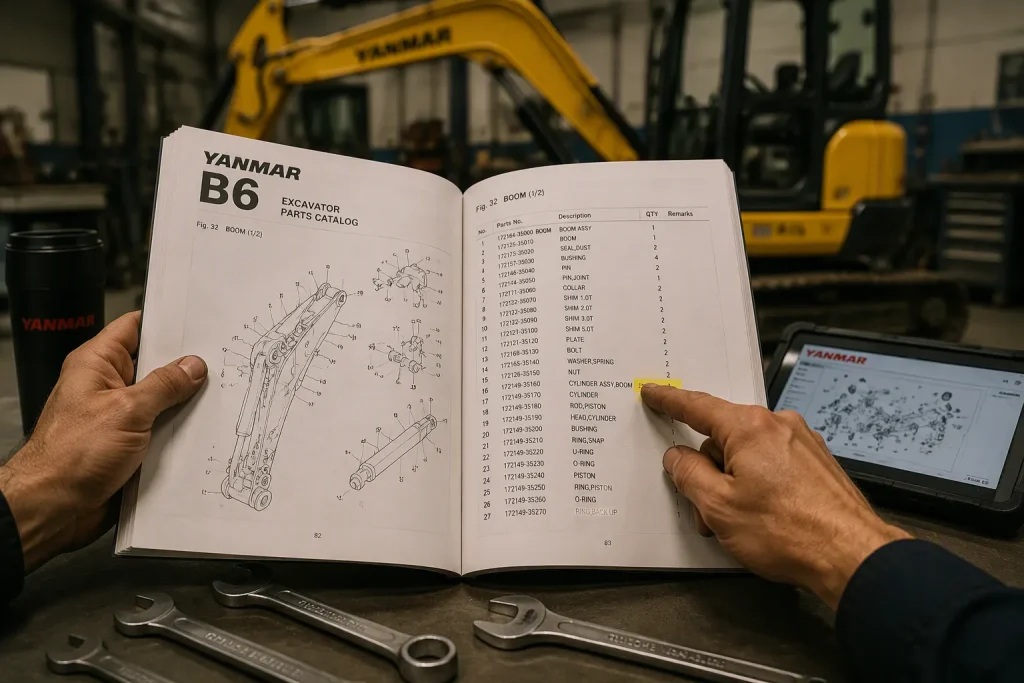
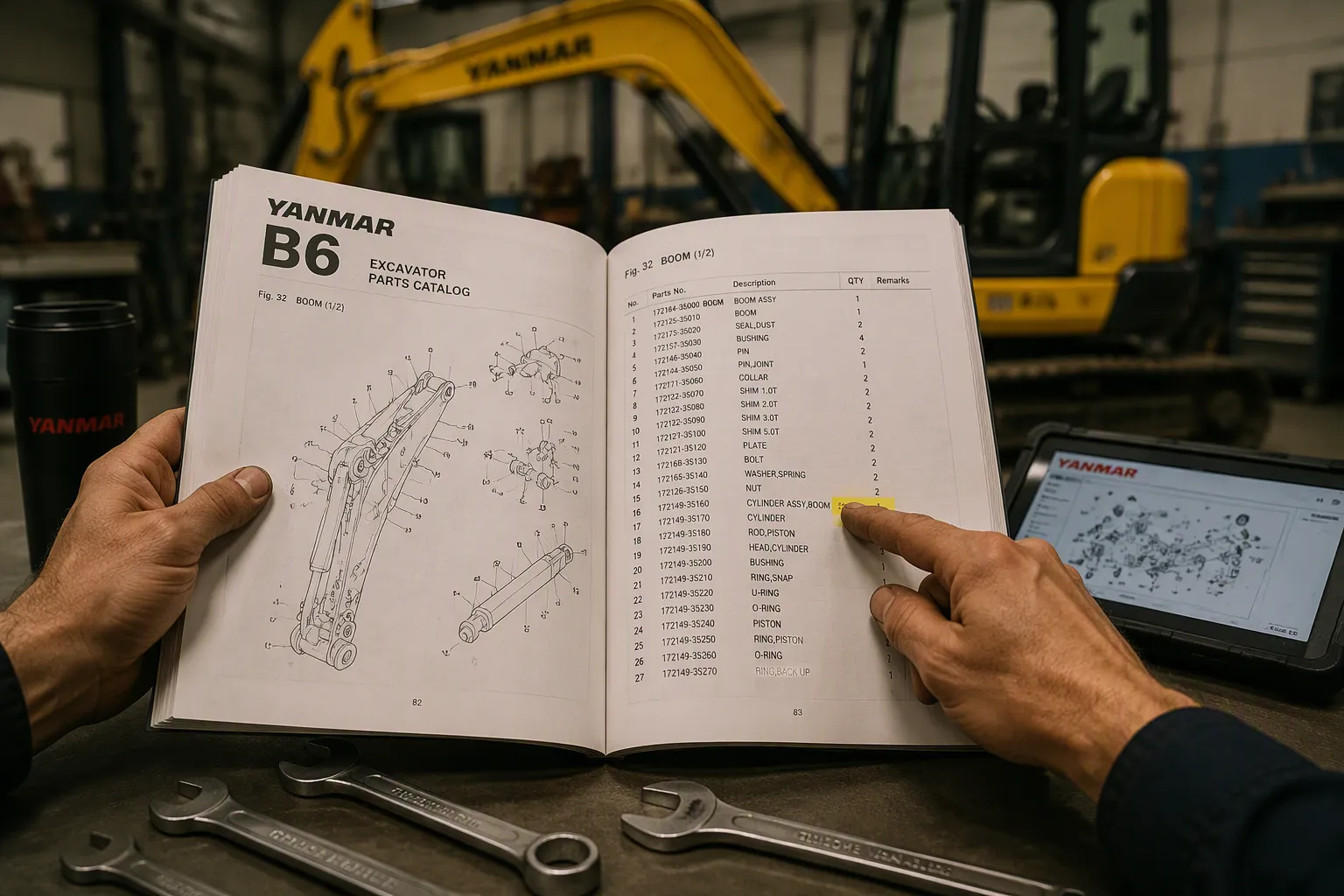
The yanmar b6 excavator parts catalog comes in a few different formats. Digital PDF versions let you search fast using keywords. You can zoom in on diagrams and print certain pages when you need them. Printed manuals give you a dependable reference during repairs in the workshop. The Yanmar USA official website has a dealer locator and dealer portals. These channels link you straight to genuine parts suppliers.
Why pick genuine parts for your machine? Yanmar puts every component through strict quality control during manufacturing. Only parts that meet their quality standards make it to customers. Products like the TF500T Hydraulic Transmission Oil give the best wear protection for transmissions and wet brakes. Yanmar Engine Oil (SAE 15W40) shields engines from wear and corrosion. These products boost uptime and greatly extend engine service life.
Genuine parts also come in ready-to-use kits. Each kit has precise-fit filters and all the components you need. You get rid of guesswork and missing parts for good. Maintenance goes faster, and you get full warranty protection. Aftermarket alternatives might not meet the same manufacturing standards. Over time, they raise the risk of wear, contamination, and shorter engine life.
How the Catalog is Organized
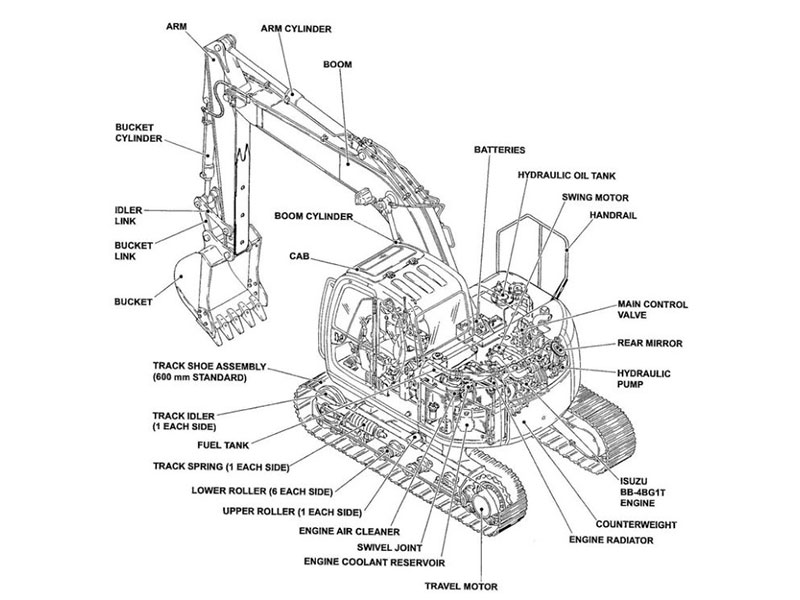
The catalog follows a logical structure built around system groups. Undercarriage, hydraulics, and engine sections show up as separate groups. Subgroups split each system into smaller assemblies so you can navigate easily. Pins and bucket parts also get their own dedicated categories. This setup helps you find any component fast without confusion.
Each section uses exploded-view illustrations with clear reference numbers. These reference numbers link to a detailed parts list. The list shows the official part number, description, and quantity needed. You can match the reference number on the diagram right to the list. The catalog also covers model variations across B6 models. You must check your B6 variant before you order any parts. B6-1 through B6-4 models differ a lot in many components.
Using the yanmar b6 excavator parts catalog gives you accurate identification. OEM illustrations stop costly installation errors during repairs. Every replacement part lines up exactly with original equipment specifications. Serial number ranges in the catalog help confirm compatibility before you buy. Accurate part identification cuts downtime a lot. Your machine gets back to work faster with the right components installed correctly.
Preparing Your Machine Information
Finding Model and Serial Number
The serial number plate is in a few common spots on your Yanmar B6 excavator. Check the right or left side of the front face. This area is below the operator compartment. Machines made in 2014 and newer have the plate on the left side of the knuckle boom. The left side faces the road during transport. The plate is either a metal plate or a foil label. Both types hold the same important information. Write down every character exactly as it shows.
Why does this plate matter so much? Yanmar parts can be different based on the model, serial range, and machine setup. One small change in the serial number can mean a totally different part. Writing down the full model name and serial number before you open any catalog stops mistakes. It saves you time and money.
Providing the machine model and serial number helps verify compatibility and ensures the correct component is matched to your equipment.
Keep this information nearby whenever you search the yanmar b6 excavator parts catalog. The catalog uses serial number ranges to split parts across production years. You need the machine serial number to pick the right diagram. Write the number on a sticky note or save it in your phone.
Why Your B6 Variant Matters
The Yanmar B6 comes in four main variants: B6-1, B6-2, B6-3, and B6-4. Each variant uses different parts in key systems. Undercarriage components, hydraulic lines, and engine fittings can all change between versions. A roller for a B6-2 might not fit on a B6-4 at all. The engine itself can even be different across variants.
Using the wrong catalog leads to wrong orders every time. You might order a part that looks right in the diagram but does not match your machine. The serial number tells you which variant you own. Check that number against the model name on the plate to confirm the variant. Never assume two variants share the same part.
Gather extra details if identification seems unclear. Note the engine model and hydraulic component numbers. Take photos or measurements of the part you need to replace. Write down any numbers printed on the original part. These details help confirm compatibility and lower the chance of ordering the wrong components.
Navigating the Yanmar B6 Excavator Parts Catalog
Step-by-Step Navigation
Start your search by selecting your exact model. The catalog separates B6-1, B6-2, B6-3, and B6-4 machines into distinct sections. Click or flip to your variant before you do anything else. This single step prevents most ordering errors.
Next, choose the system group you need. The main groups include undercarriage, hydraulics, engine, electrical, and operator station. Each group covers a specific area of the machine. If you need a track roller, go to the undercarriage group. If you need a hydraulic pump seal, open the hydraulics group. This structure mirrors how the machine is built, so you can think about the repair in the same way.
Within each group, you will find subgroups. The undercarriage group splits into tracks, rollers, idlers, and final drives. The hydraulics group divides into pumps, valves, cylinders, and lines. Pick the subgroup that matches your part. The catalog then shows you an exploded-view diagram with reference numbers.
Follow the reference number from the diagram to the parts list. The list gives you the official part number, the description, and the quantity required. Write down the full part number exactly as it appears. Check the serial number range shown next to the part. This range tells you which machines use that specific component. If your serial number falls outside the range, go back and check your model selection.
This step-by-step approach works for every part in the yanmar b6 excavator parts catalog. Practice it once or twice, and the process becomes second nature.
Using the Index and Table of Contents
The index and table of contents save you serious time. Skip them, and you might scroll through dozens of pages to find one bolt. Use them, and you jump straight to the right section.
The table of contents sits at the front of the catalog. It lists every major system group with a page number or link. Scan this list first to find your system. Then flip or scroll to that page. The table of contents also shows subgroups under each main group. This layout lets you narrow your search before you even open a diagram.
The index works like a dictionary for parts. It lists part names in alphabetical order. Find the name of your component, and the index gives you the page number or section code. This tool helps when you know the part name but not the system group. For example, search for “roller” in the index. You will find entries for track rollers, carrier rollers, and bottom rollers with their locations.
Some digital versions of the yanmar b6 excavator parts catalog include a search function. Type a part number or description into the search bar. The PDF jumps to every matching entry. This feature works well when you already have a partial number from an old part.
Bookmark important pages for future repairs. Keep a notebook with part numbers you order often. These habits turn a thick catalog into a fast, personal reference tool.
Reading Diagrams and Decoding Part Numbers
Matching Reference Numbers to Parts
Every exploded-view diagram in the catalog uses reference numbers. These numbers point to specific parts in the picture. A small callout balloon with a number sits next to each part. You find that same number in the parts list beside or below the diagram. The list gives you the official part number, a short description, and the quantity required for that assembly.
This system works well once you understand the flow. You look at the diagram, spot the part you need, and read its reference number. Then you jump to the parts list and find that number. The list tells you exactly what to order. For example, a bottom roller diagram might show reference number 5 pointing to the roller itself. The parts list entry for number 5 gives you the full part number and tells you how many rollers the machine uses per side.
Pay attention to the quantity column. Some assemblies use the same part in multiple locations. The quantity tells you how many you need for a complete repair. If you replace one worn roller, you still order just one. If you rebuild the entire undercarriage, you multiply that quantity by the number of positions.
How to Read a Yanmar Part Number
Yanmar part numbers follow a structured format. The first segment often identifies the model family or component group. The middle section narrows down the specific part. The final characters sometimes indicate a revision or variant. You do not need to memorize the format. You just need to copy the number exactly as it appears.
Consider two real examples from forums and manuals for bottom rollers. Part number 172441-37302 fits certain B6 models. Part number 172b03-37300 fits others. These two numbers look similar at a glance. They are not interchangeable. One roller will not fit a machine that needs the other. This example shows why you must verify the number against your specific variant and serial range.
Never guess a part number from memory or from a similar-looking number. Always confirm it against the catalog entry for your exact machine.
The best confirmation step is simple. Take the catalog part number and compare it with the number stamped or printed on the old part. If the old part still has a legible number, match it character by character. If the old number is worn away, check the machine’s serial number against the catalog’s serial range. This double-check catches errors before you place an order.
You can also search online forums for shared part numbers and fitment tips. Other owners often post the numbers they used and whether the part fit. Treat forum posts as a starting point, not a final answer. Always confirm with the official yanmar b6 excavator parts catalog for your machine. This habit ensures you order the correct component every time.
Cross-Referencing and Ordering the Right Part
Confirming Fitment Before You Buy
You have the part number from the catalog. Now you need to make sure it fits your machine. Start by checking online forums where Yanmar owners share part numbers and fitment tips. These groups often post real results from actual use. Someone may have already ordered the same part for the same B6 variant. What they learned can save you from a costly mistake. Think of forum posts as a helpful place to start. Always confirm the number against the official yanmar b6 excavator parts catalog for your exact machine.
Compare the catalog number with the number on the old part. If the old number is still readable, match it letter by letter. If the number is worn off, check your machine’s serial number against the catalog’s serial range. This step confirms it will work before you spend money. You can also measure the old part and compare its size with the catalog specs. A quick measurement often catches errors that just looking can miss.
Common Mistakes to Avoid
One of the most common mistakes is ordering based only on a diagram. A diagram shows the shape and location of a part. It does not tell you which serial number range that part fits. Two B6 variants can use parts that look the same in a drawing but have different mounting points or sizes. Always check the serial number range before you order. Skipping this step leads to returns, delays, and wasted money.
Another mistake is thinking two similar part numbers can be used in place of each other. As shown earlier, numbers like 172441-37302 and 172b03-37300 look close but fit different machines. Never guess. Always confirm.
Yanmar genuine parts are built and tested for optimum safety and quality. Aftermarket alternatives may not meet the same standards.
Ordering the right part protects your machine and your wallet. Take the extra minute to cross-reference. Your excavator will thank you with reliable performance.
You now understand the whole process. First, identify your machine. Next, go to the correct system group. Use the diagram to find the reference number. Check that number against your serial range before you order. These four steps fix most parts problems.
Double-check every part number against your machine’s serial number. Keep a record of the parts you order. This log helps you find numbers fast for future repairs. It also tracks what fits your B6 variant.
This skill saves you real time and money. You avoid returns, delays, and downtime. For reliable Yanmar B6 parts, YNF Machinery offers a trusted source to order with confidence.
FAQ
Where do I look if my serial number plate is missing?
Look for stamped numbers on the frame close to the operator seat. You can also find them on the engine block or hydraulic parts. If the plate is gone, call a Yanmar dealer and give them your model name and machine photos.
Can I use a part from a different B6 variant?
No. B6-1 through B6-4 models use different parts in key systems like undercarriage, hydraulics, and the engine. Always check your exact variant and serial number before you order. Guessing leads to returns.
Why can two similar part numbers fit different machines?
Yanmar part numbers follow a set format. Numbers like 172441-37302 and 172b03-37300 look alike but fit different B6 models. One character change means a different component. Match every character against your catalog entry.
Is the Yanmar B6 parts catalog free to access?
Digital PDF versions are often free online. Printed manuals cost money from dealers or reprint services. The Yanmar USA official website offers dealer portals for genuine parts lookup. Ask your local dealer about access options.